From Zoho to HubSpot, connected to Coreplus.
A multi-site sleep and respiratory clinic group moved its front desk from Zoho to HubSpot. We connected HubSpot to Coreplus, their practice management system, so the team sees each patient’s appointments and can book from the record.

The problem
Referrals were backing up in Zoho, requests landed in one general queue, and appointments sat in Coreplus, away from the team’s calls and emails.
What changed
- Calls, emails and tickets sit on the patient’s record, with past tickets and attachments moved across from Zoho.
- Requests go to the right queue instead of one general inbox.
- Staff see a patient’s appointments without opening Coreplus, and can book from the record.
- Duplicate patient records are caught in HubSpot instead of multiplying.
What we built
A HubSpot help desk with the phones connected, and a custom integration that brings Coreplus appointments and booking into the record.
Why they moved
The phones never stopped. Referrals were backing up faster than a team of five could work through them, and requests from different funding programmes got lost in one general queue.
They had chosen Zoho because it promised to work with Coreplus, the system that holds their patients and appointments. The connection did the basics, but the support around it wasn’t there when they needed it.
Half the patient records had no email address, so most contact ran through phone calls that never reached the patient’s history. Above all, the new system had to be easy for staff to pick up, because changing systems is hard on a busy front desk.
The project
We moved the team’s requests, contacts and history out of Zoho and into HubSpot, connected the phones, then built the link to Coreplus. A small group of staff piloted it first and trained the rest. From kick-off to completion took about three months.
HubSpot connected to Coreplus
Coreplus has no native HubSpot integration, so we built one. Each HubSpot contact is matched to the right patient in Coreplus by name and date of birth, and staff can create the patient in Coreplus from HubSpot when they don’t exist yet.
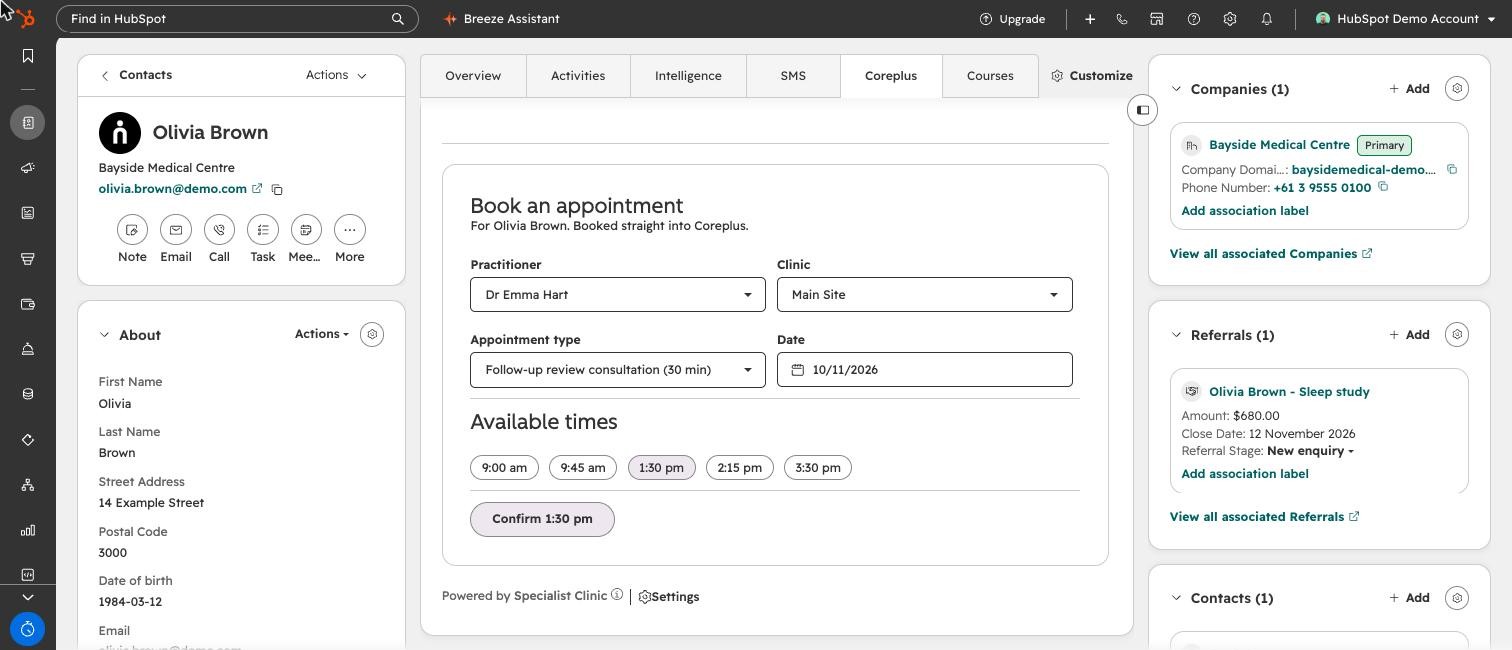
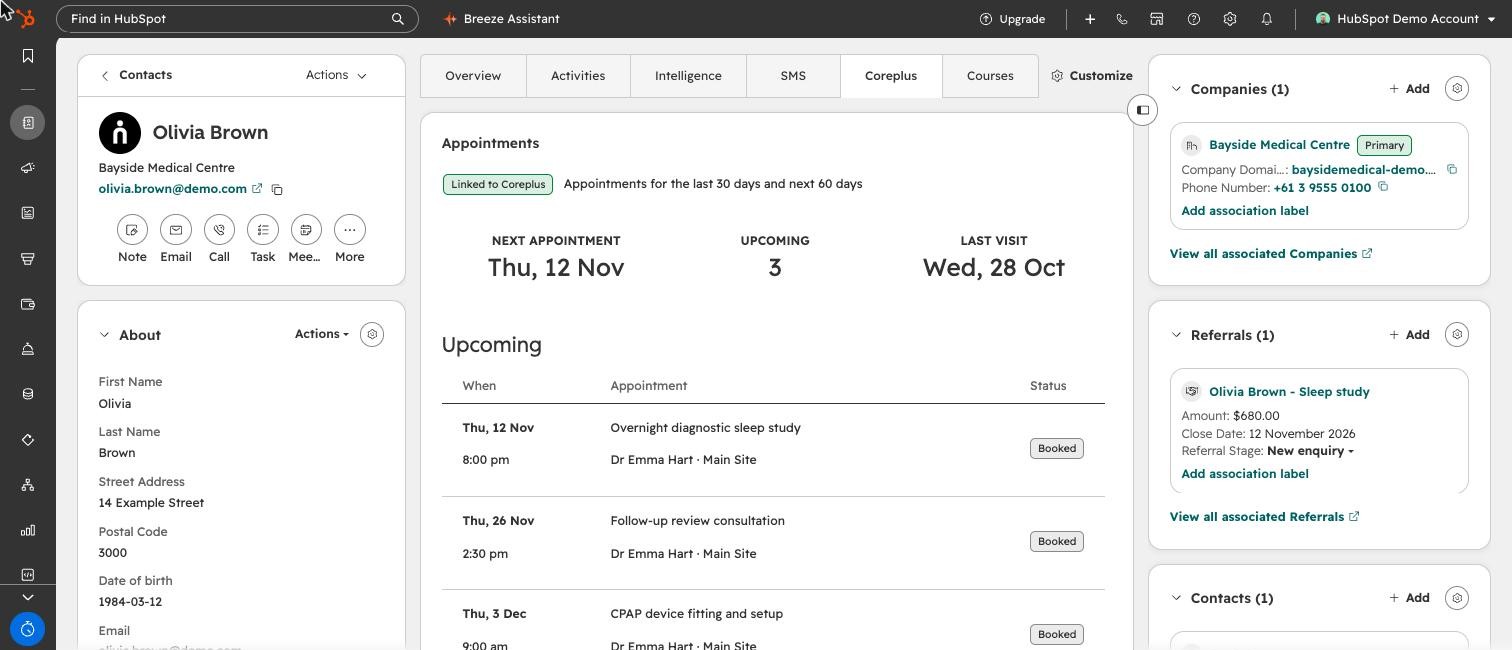
A card on the contact record and in the help desk shows the patient’s upcoming and recent appointments. Staff can book a new appointment from HubSpot, choosing the clinic, practitioner, appointment type and an available time.
- Contact matched to the patient
- Appointments on the record
- Booked from HubSpot
- Details kept in step