Scheduling that follows the funding rules.
A government-funded in-home support provider moved bookings, funding approvals and invoicing out of a sprawling spreadsheet and into HubSpot, with a custom scheduling calendar that won’t book past a client’s approved hours.


The problem
Bookings, funding approvals and invoicing ran from Google Sheets, and nothing stopped a booking going over a client’s approved hours.
What we set up
- One place for enquiries, funding approvals, services and bookings, in place of the spreadsheet.
- A booking can’t exceed a client’s approved weekly hours.
- Services flow from delivery through to invoicing.
- Every change to a booking or service is recorded.
What we built
HubSpot set up around how the service is funded and delivered, with a scheduling calendar that checks every booking against the approved hours.
Why they moved
Bookings, funding approvals and invoicing ran from Google Sheets. Invoicing a single client took several separate steps.
Each client is approved for a set number of hours a week, and nothing stopped a booking going over that limit.
The project
We set HubSpot up around how the service is funded and delivered: an enquiry becomes a client, an approval becomes services, and services become bookings that can be invoiced.
A calendar that knows the funding rules
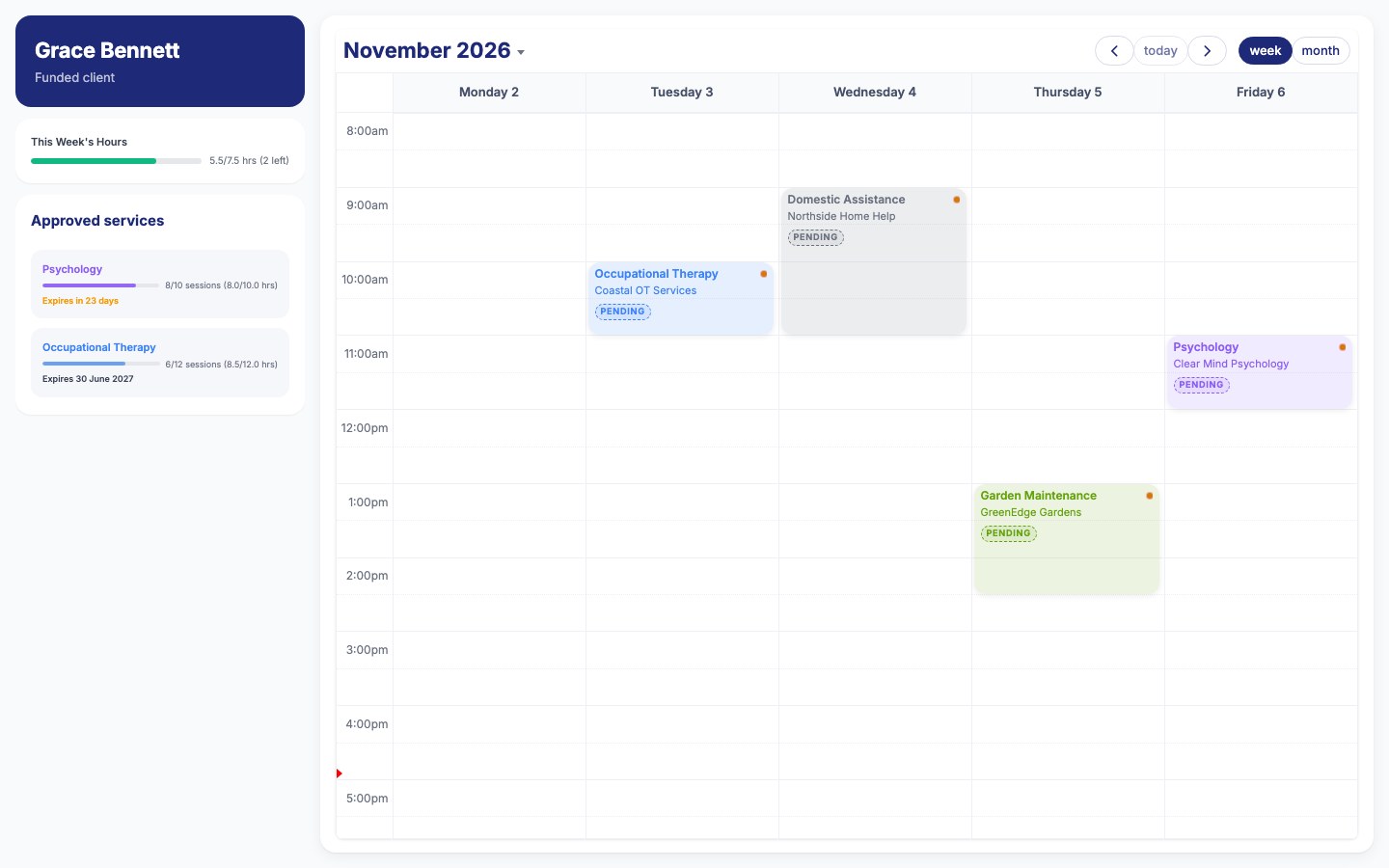
We built a scheduling calendar and cards that sit on the client, the funding record and each service. Each client’s weekly hours show against their limit, and each service shows how many sessions are used, such as “3 of 12”.
Bookings can’t go past the approved hours. Turning a funding approval into bookable services, renewals and reassessments happen in one step, and every change is kept in an audit trail.
- Approval becomes services
- Hours checked against the limit
- Booked on the calendar
- Delivered and invoiced