Admissions and rooms, in one place.
A not-for-profit residential aged care and retirement living provider moved admissions out of a shared mailbox, spreadsheets and a Teams channel and into HubSpot. A custom card now matches each new resident to a suitable room from the admission itself.


The problem
Admissions ran across a shared mailbox, spreadsheets and a Teams channel, and room availability was updated by hand.
What changed
- Admissions sit in pipelines instead of a mailbox, spreadsheets and a Teams channel.
- Website enquiries arrive in HubSpot with an owner, instead of waiting in an inbox.
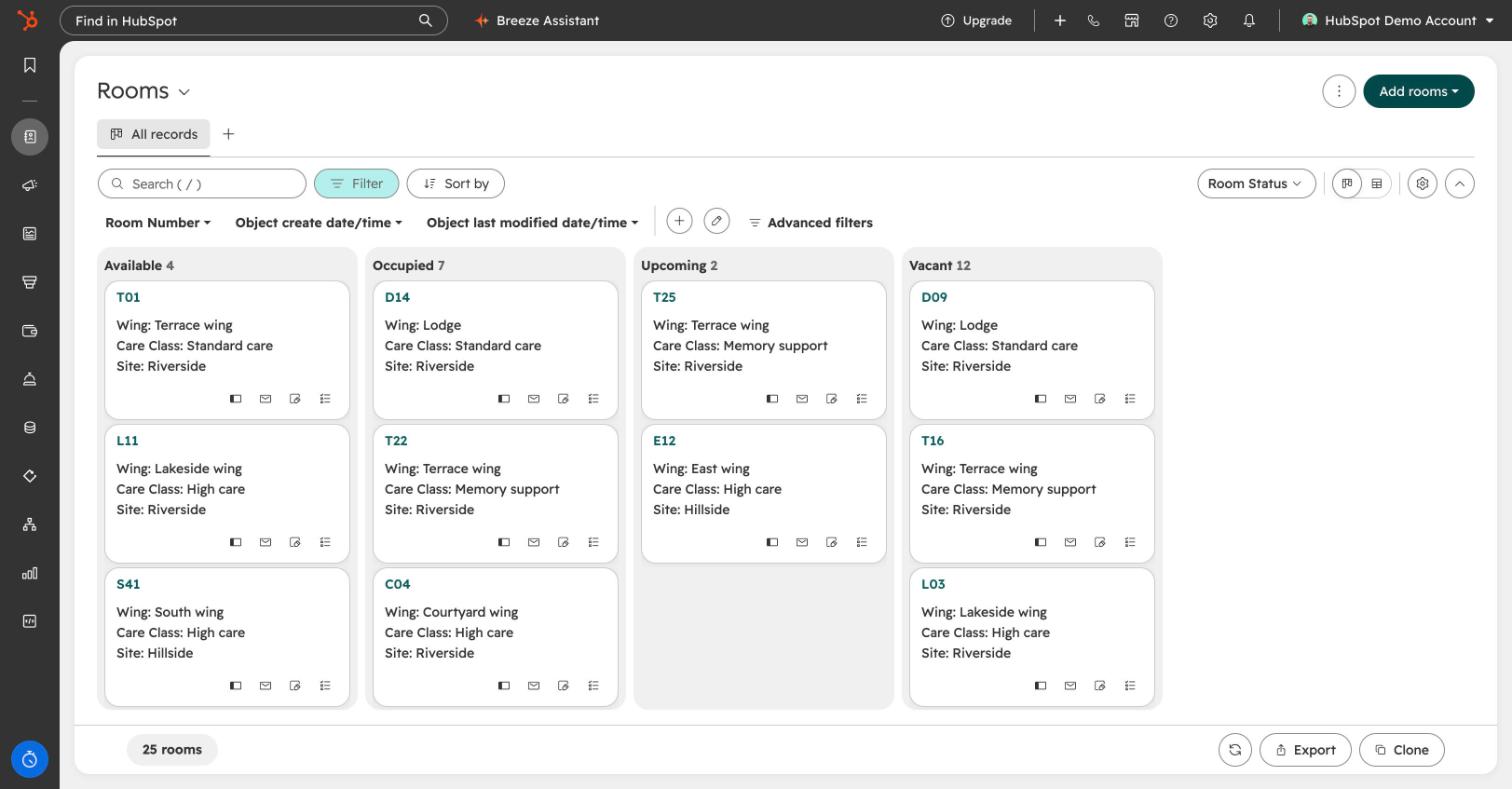
- Room availability is on a board everyone can see, and matching a resident to a room happens on the admission.
- The admissions team works in HubSpot every day.
What we built
Admissions pipelines, every room as a record, and a custom card that matches each resident to a suitable room.
Why they moved
Admissions ran across a shared mailbox, spreadsheets and a Teams channel. Each held part of a resident’s story, so the record changed depending on where you looked. Contracts went missing because nothing linked the steps together, and aged care assessment reviews were tracked by hand and needed regular audits to catch what had slipped.
Room availability was the hardest part. The care management system couldn’t show bed status, so staff updated it by hand and checked with each other before offering a room.
They had tried CRMs before and stalled. This time the brief was a system they could improve step by step, not a perfect one on day one.
The project
Before anything was signed we set up a working demo using their own admissions process, so the team could see their pipelines, rooms and records before committing. From kick-off to the team working in HubSpot took about three months.
Room selection, on the admission
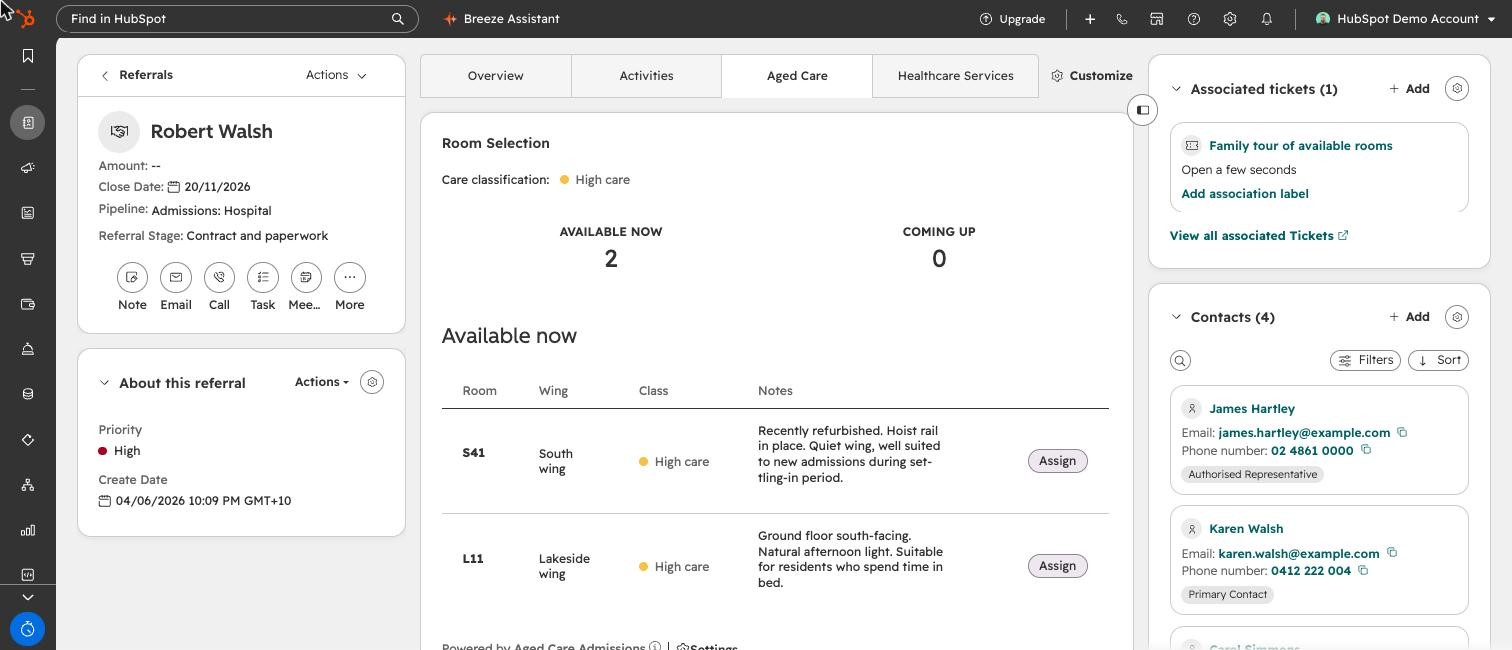
Every room is in HubSpot, but matching a new resident to the right one still meant checking the board and asking around. We built a card that sits on every admission. It reads the resident’s care class and lists the rooms that match: those free now and those coming back soon, each with its wing and notes.
Staff assign a room in one click. The room moves to upcoming on the board, so nobody offers it twice.
- Care class read from the admission
- Matching rooms, now and coming up
- Assigned in one click
- Room board updates