ServicesHealthcare

Your practice system and HubSpot, connected.

We connect practice management systems such as Halaxy, Cliniko and Coreplus to HubSpot, your phones and your website. Clinical records stay where they are. Your team gets one place to manage referrals, enquiries and follow-up.

HubSpot Platinum Solutions Partner badgeHubSpot Platinum
Solutions Partner
Who we work with:Mental health and telehealthAllied healthDVA and veterans’ servicesAudiologySleep clinicsAged care
A referral, start to finish
  1. Referral receivedEmail or web form
  2. Matched in your practice systemPatient record
  3. Logged in HubSpotReferrer credited
  4. Follow-up assignedTask and reminder

Where we’re usually called in.

  • Your team needs to track referrals arriving by email, fax and web form.
  • Staff enter the same patient details into more than one system.
  • You need a clearer view of referrals by GP, partner and clinic.
  • Your team needs appointment and referral information available in HubSpot.

Follow each referral through to appointment.

Connecting your phones, practice system and website helps your team follow enquiries through to appointments. We bring all three into HubSpot, without moving clinical records.

Your phones

Calls and missed calls, recorded against the right patient or referrer.

Your practice system

Patients, appointments and referrals, kept in step.

Your website and forms

Website enquiries, with the page and source information they came with.
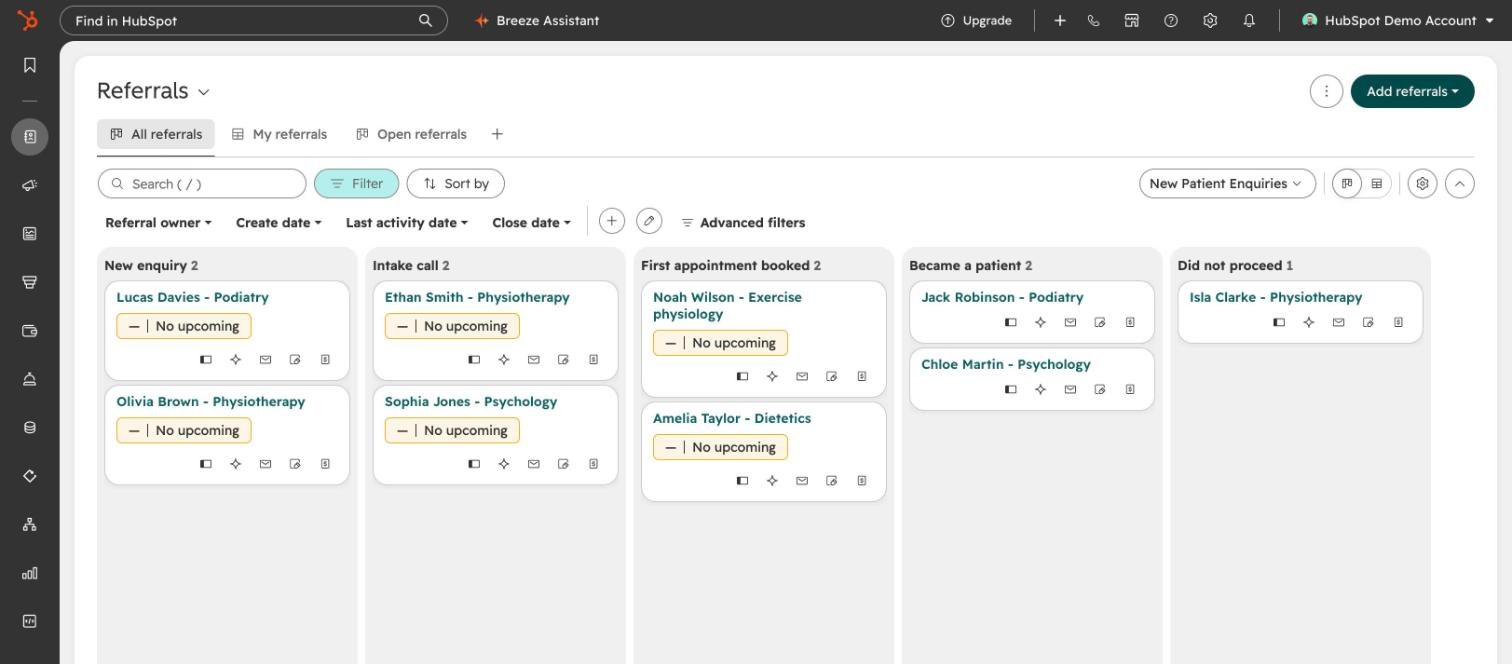
HubSpot, where your team worksReferrals, enquiries, follow-up and reporting, side by side.
Practice systems we connect:HalaxyClinikoCoreplusOthers with an API

What we build, stage by stage.

1

Referral

Referrals in one pipeline
Email, fax and web referrals in one list, each with an owner and a due date.
Referrer tracking
See which GPs and partners send patients, and keep them informed.
2

First appointment

Matched to the record
Link the HubSpot contact to the patient record and sync agreed details between the systems.
Confirmations and intake
Send confirmations and intake forms at agreed stages.
3

Ongoing care

Follow-up and recall
Reminders and tasks when a patient is due back or a plan ends.
Reporting
Referrals, bookings and conversions by clinic and practitioner, without exporting spreadsheets.
HubSpot deal board titled New Patient Enquiries, with columns for new enquiry, intake call, first appointment booked, became a patient and did not proceed.
An example enquiry pipeline in HubSpot, from first contact to first appointment, shown with demonstration data.

Healthcare integrations

The practice management systems we connect to HubSpot for clinics and health services, and what each connection covers.

SystemWhat it connectsHow
HalaxyPractice managementPatients, practitioners, appointments, referrals and invoices, into HubSpot and reportingCustom sync
ClinikoPractice managementPatients and appointment events, into HubSpotCustom sync
CoreplusPractice managementPatient matching, appointments and referrers, with booking from HubSpotCustom sync and record cards
Other practice systemsWith an APIWe review the API and any vendor approval first, then tell you what’s possibleAssessed per system

Around them we connect clinic phones, reporting and AI-suggested practitioner matches that staff review.
Patient data
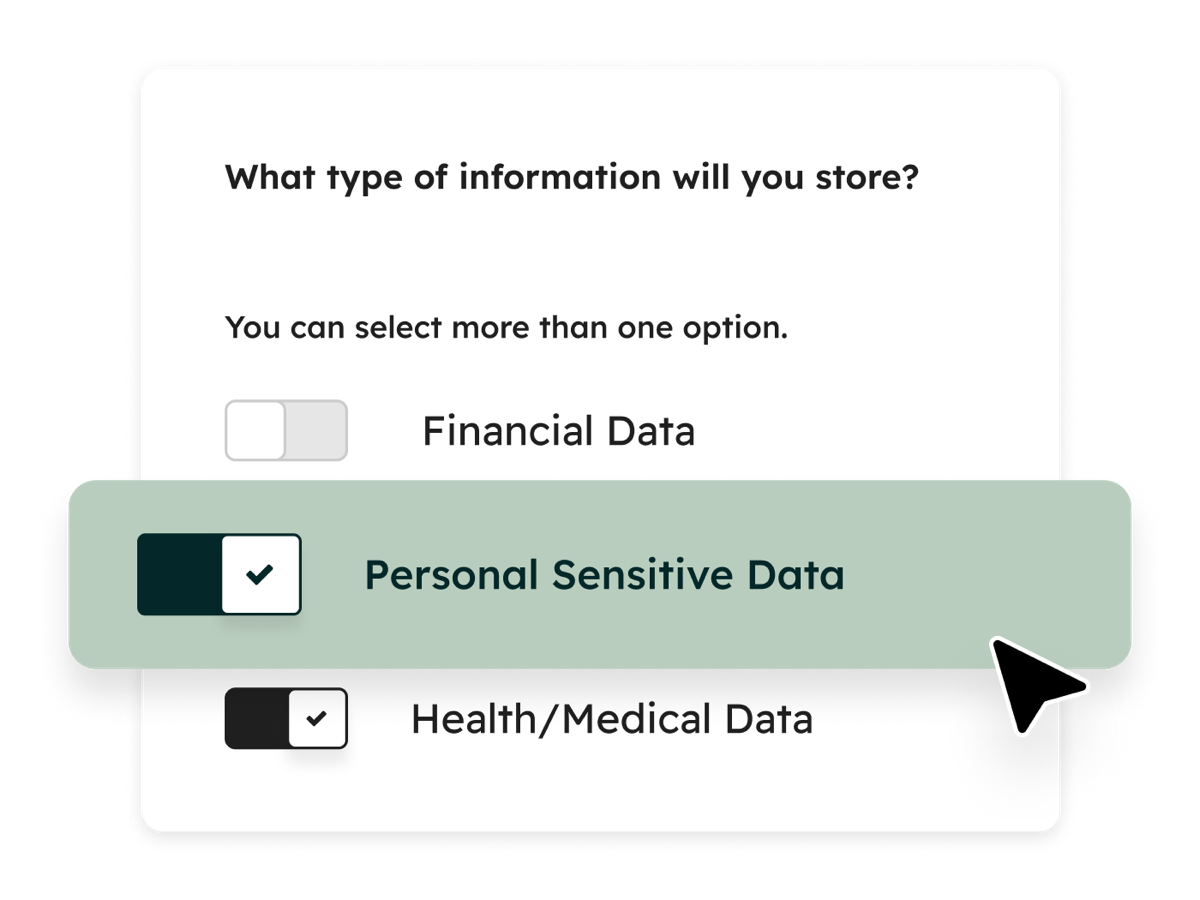
  • Clinical records stay in your practice system. HubSpot holds only what the team needs to manage the relationship.
  • Integrations we build run in AWS Sydney, and we can set up HubSpot on its Australian data centre.
  • We send only the fields a workflow needs, and keep personal details out of logs.
  • Tracking on health websites needs care. In June 2026 the Privacy Commissioner found that tracking pixels on two health providers’ websites collected health information without consent, so we check consent before adding tags. Source: OAIC
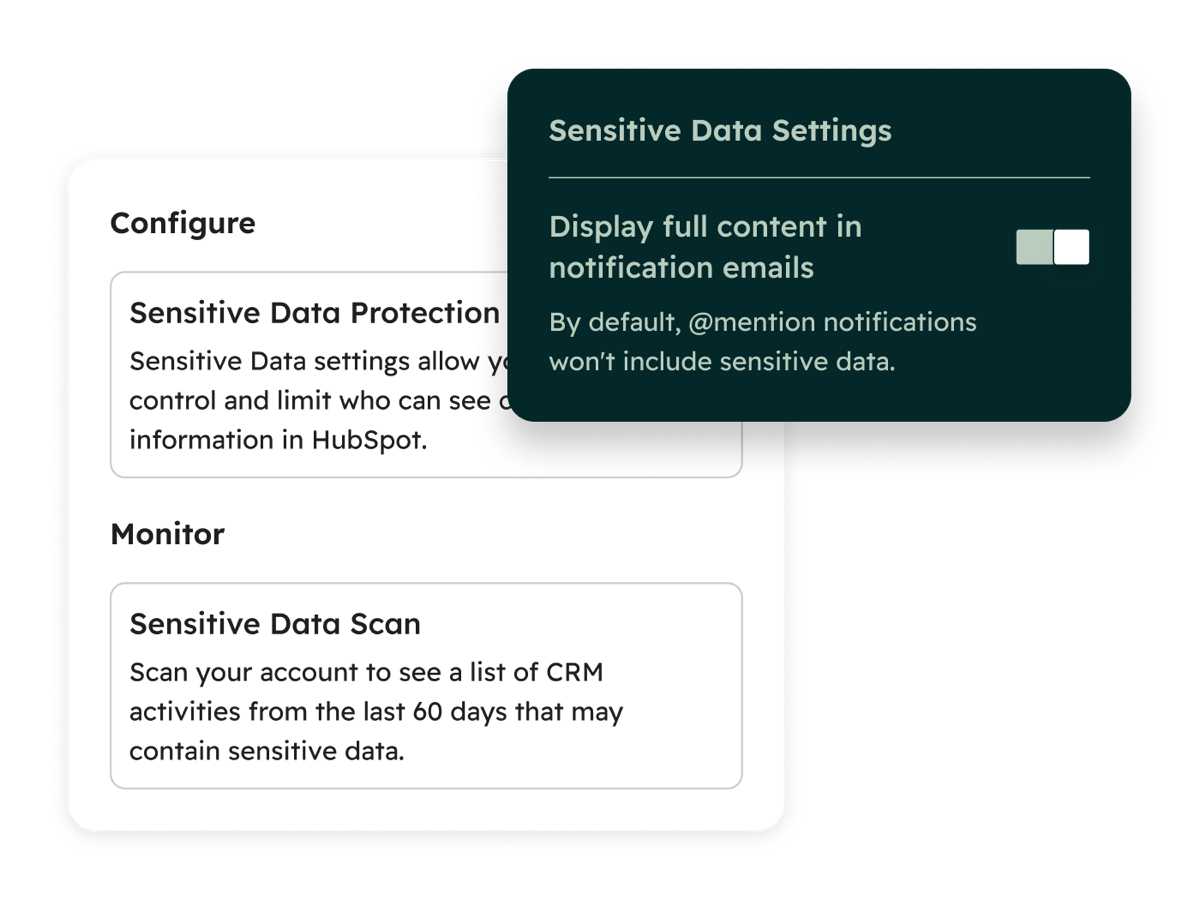
HubSpot setting asking what type of information you will store, with Personal Sensitive Data and Health/Medical Data switched on.HubSpot sensitive data settings: protection that limits who can see sensitive information, and a scan for recent activity that may contain it.

Questions.

Can HubSpot replace our practice management system?

No. HubSpot works alongside your practice management system, which continues to handle clinical records, Medicare and billing.

Our practice system isn’t listed. Can you still connect it?

Often, if it has an API. We check the documentation and any approval the vendor requires before we quote.

Do you work with DVA and NDIS providers?

Yes. We’ve built referral and paperwork workflows for DVA-funded services, and connected NDIS work recorded in practice systems.

Do we need to be on HubSpot already?

No. Some clinics come to us with HubSpot, others are moving from Zoho or spreadsheets. We review your workflow and the HubSpot features you need before recommending a licence.

Tell us how referrals reach your clinic today.

Talk to us →